
By Valarie Adams · October 15, 2026
Is Your San Antonio Listing Ready for a 3D Tour Appointment?
Before confirming capture for a listing, settle the included rooms, where loose items will stay and who will finish each preparation task. Then agree on the review and correction process.
Which rooms are included in the appointment you are confirming?
Confirm the provider's room list before treating your San Antonio listing as ready for the booked capture. Prepare those areas together. A 360-degree panorama lets someone look around the camera position, so a pile placed behind the camera can still be part of the view. Zillow's guide and FAQ describe full-circle panoramas and connected capture positions. Moving a laundry basket into the next included room leaves another preparation task unfinished.
Start with the provider's capture plan. Ask which rooms, hallways, closets, garage areas and exterior spaces will be included. Write down any area that still needs a decision. The provider should explain what can be captured and how the finished tour will represent the agreed spaces. If a room is excluded, ask how its doorway and the exclusion will appear in the finished tour.
Walk each included room in a full circle. Check the space behind the entry door, the opposite wall, the floor around the camera position and the opening to the next room. Look for packing materials, cleaning tools, spare furniture and daily-use items that were hidden by the angle of a still photograph. Finish the physical edit before the capture sequence begins.
An occupied home may need one temporary place for things used every day. A vacant listing may need packaging and staging supplies removed after installation. In either case, tell the provider where those items will be kept and ask whether that location is outside the agreed capture area. A room-by-room photo cleanup can work for separate frames, but a connected tour needs a plan for the spaces between them too.
Give the Realtor and provider a room-specific open-item list before confirming the appointment. Name the room, what remains there and who will finish it. Ask the provider when preparation needs to be complete and what the team should do if an agreed area is unavailable. Use that answer to coordinate the actual appointment, rather than assuming the capture plan can change on arrival.
Does the listing have a workable storage plan for capture day?
Choose storage that stays outside the agreed views and routes for the entire appointment. Avoid using the next room as a temporary holding area if that room is also on the capture list. The practical question is whether everything can remain in its chosen place until the provider has finished the connected sequence.
Make a short list of items that still have to move on capture day. It might include a pet bed, a portable work setup, cleaning supplies or boxes waiting for pickup. Give each one a destination and a person responsible for moving it before capture. Keep private records and personal belongings under the owner's control rather than asking the photographer or stager to sort them.
If the only available storage is a closet or garage, ask whether it is included before filling it. Leave access routes usable and avoid placing a large item behind a door that the provider plans to open. If there isn't a suitable holding space, discuss a different preparation plan with the seller and Realtor before the appointment. The provider can explain how any excluded space will be represented.
Then make the empty-space check in reverse. Walk from the last room on the proposed route back toward the entry. Look for the bags, cords or furniture that moved out of an earlier view. A final whole-route check is more useful here than approving each room at a different moment. Zillow's preparation guidance and Matterport's older capture checklist both support tidying the capture areas and keeping people and movable distractions out of the sequence.
If the storage problem is still unresolved, bring it to a staging consultation before confirming capture readiness. Share which furniture and ordinary belongings need a place, which items the owner will handle and when the rooms must be ready. Ask for a defined preparation scope that can be coordinated with the appointment. Do not assume the capture provider will also move furniture or clear rooms.
Can the staged setup stay fixed for the provider's sequence?
Agree on the final physical setup with the provider before the first capture, then keep it stable while the connected areas are recorded. Matterport's preparation checklist calls for items to stay in the same place during scanning. Zillow's guide likewise addresses moving objects and the positions needed to connect rooms. Let the provider decide the technical capture sequence.
For furniture, finish the staging edit in advance. Decide where the sofa, dining chairs, side tables and floor accessories will remain. Don't shift a chair out of one panorama and return it for the adjacent room without asking the provider. If a piece blocks the view through a doorway, resolve that placement before recording the connected spaces.
Doors need an agreed plan too. Ask which openings the provider needs for the route and which doors should remain closed. Zillow's capture guidance discusses open interior doors and capture positions through doorways. Matterport's checklist also addresses door positions and paths. The seller can prepare access, while the provider should direct the setup required by the system being used.
Discuss lights, blinds and shades before changing them. Ask the provider which settings should stay consistent and who will make any necessary change. The useful staging task is to have the room ready and avoid unplanned resets once capture is underway.
Arrange where people and pets will wait, and ask how the provider will signal that an area is finished. Tell the team about any room the household needs during the appointment. Settle that access question before treating the home as ready.
Can the team clear the full route before the booked time?
Check whether the whole route can be cleared before the provider arrives. Zillow's guide and FAQ explain the role of doorway and hallway positions in linking panoramas. A living room can look prepared on its own while the view through its doorway still contains overflow from the bedroom. Have the person responsible for each remaining task walk that connection before reporting the listing ready.
Stand at the living-room opening and look into the hallway, then turn and look back. Check what appears on both sides of the doorway. Repeat that at the kitchen connection, bedroom entries and any included stairs or exterior transition. Leave technical camera placement and safe access decisions with the provider. Your preparation check is about the visible setup and the areas still waiting to be cleared.
Keep the home's actual features visible. If furniture hides an opening or makes the connection hard to follow, ask the stager whether a physical edit would help. Avoid planning a digital removal of a fixed feature to solve the presentation problem. Zillow's tour guidelines call for accurate property representation, and its FAQ separates appropriate privacy blurring from hiding features.
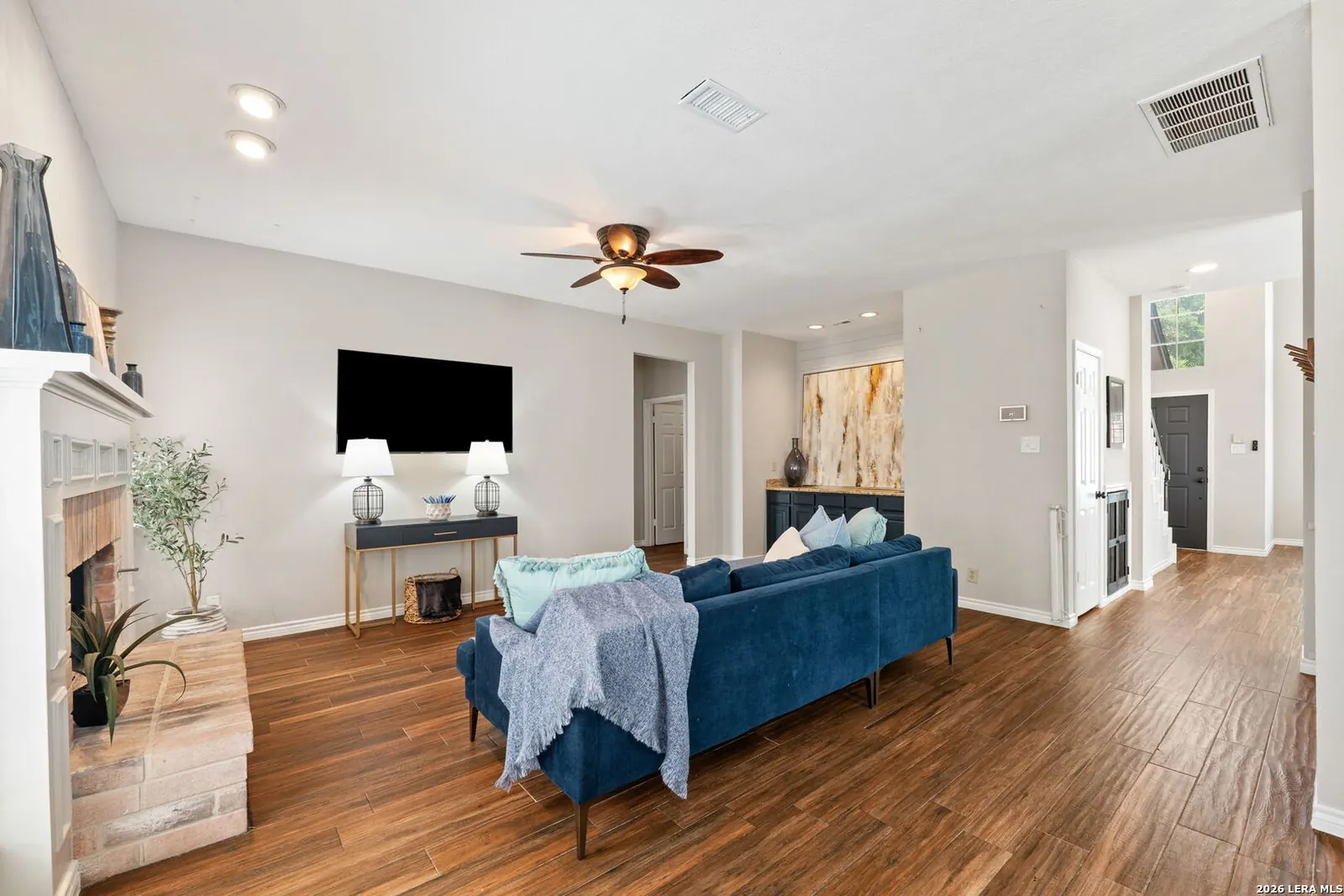
For an open living and dining area, approve the arrangement from both directions before capture. A layout prepared for one strong still image may need another look from the adjoining room. Use that check to decide whether an extra chair or temporary table should come out. The aim is a consistent, accurate setup through the route, with the real openings and room relationships easy to inspect.
If a hallway, room or included exterior area is still occupied by preparation work, tell the Realtor and provider exactly where the conflict is. Ask whether the work can finish before the booked time or whether they need to revise the plan. Confirm any change directly with the people handling the appointment. Leave the item open until there is a specific arrangement everyone can follow.
Who handles the final readiness check and tour corrections?
Name the person who will confirm physical readiness before the appointment and the person who will coordinate the finished-tour review. The seller can confirm that belongings are stored, and the stager can confirm the agreed furniture setup. Have the Realtor coordinate any remaining room or access question with the provider. Ask the provider to confirm the capture plan after those preparation answers are in place.
Review the actual tour in every direction and follow the transitions between rooms before giving your approval to the listing team. Zillow's guide calls for checking captured panoramas, and its FAQ discusses checking connections in the finished experience. Ask the chosen provider when the seller and Realtor can review the work and how a concern should be reported.
Start at the entry and visit each agreed area. Turn around in every panorama instead of checking only the first view. Follow the navigation through the hallway and back into the living area. Note a missing space, confusing connection or setup change with the room name and the position where you saw it. Ask the provider whether it needs correction or another capture.
Make a focused privacy pass as part of that review. Zillow's FAQ and guidelines warn that automatic blurring can miss sensitive information and call for manual checking. Remove readable personal material before capture, then inspect the resulting views for anything missed, including reflections. Ask the provider about an appropriate correction. Keep privacy editing separate from requests to conceal property features.
Compare the captured arrangement with the setup the seller can maintain for visits. If the staging team needs to return a necessary item after capture, discuss where it will stay and whether that changes the listing presentation. Avoid approving a physical arrangement nobody can use safely or repeat during the listing period.
Keep a short correction list with the room, viewing position and issue. Have the provider explain the next step for a missed view or connection, and have the Realtor coordinate approval. Before releasing the tour, return to each listed position and confirm that the requested change is actually visible in the version you are reviewing.
Related home staging services
Sources
Is Your San Antonio Listing Ready for a 3D Tour Appointment? FAQs
What should I resolve before confirming the capture appointment?
Agree on the included areas, choose a holding place outside the capture route and assign the remaining preparation tasks. Ask the provider how an unavailable room or unfinished task affects the appointment before confirming the listing ready.
Should I rearrange furniture between panoramas?
Finish the staging setup first and keep it stable during capture. Ask the provider before changing furniture, doors or room settings once the connected areas are being recorded.
Can I rely on automatic blur for private information?
No. Remove private material before capture and manually inspect the finished views. Zillow warns that automatic blurring may miss sensitive details. Keep privacy corrections separate from hiding property features.
Does staging help include the technical 3D capture?
Confirm technical capture, navigation and editing with the chosen tour provider. Ask a staging professional about the physical furniture arrangement and listing preparation, and coordinate the appointment with the Realtor.